Download the ck444gg app — Instant gaming access across all devices
Install the ck444gg app on your smartphone, tablet, or computer and play anytime. Fast loading, secure transactions, and full support included.
Download now
Install the ck444gg app on your smartphone, tablet, or computer and play anytime. Fast loading, secure transactions, and full support included.
Download now
A growing number of players prefer a dedicated app over a web browser. Downloading the ck444gg app gives you a fully native experience that is not just more convenient, but significantly faster and more reliable. All app features run locally on your device without depending on cloud or network connections.
Downloading the ck444gg app gives you the highest level of security and privacy. The app is verified and certified through official stores (Google Play and the Apple App Store). Every transaction is encrypted, and your personal data is protected at the highest standard. While web browsers carry relatively low risk, a dedicated app is always the safer choice.
Speed is one of the ck444gg app's biggest advantages. The web version requires page reloads each time, but the app loads everything instantly. Slot game spins are lag-free, bonus round animations run smoothly, and live chat support responds immediately — even on a weaker internet connection.
Download the ck444gg app and unlock exclusive push notifications. Get instant alerts about new promotions, special bonuses, tournament launches, and winning updates — delivered straight to your phone so you never miss an important opportunity.
Offline mode is another major advantage. Most games can be played offline, with the exception of actions like cash out or account updates. When your connection is restored, the app syncs automatically. This is especially useful in Bangladesh where mobile network stability can vary.

Confirm whether your phone or computer runs Android, iOS, or Windows, then find the corresponding download option.
Download the ck444gg app from Google Play, the Apple App Store, or our official website. File size is typically 30–50 MB.
Once the download is complete, click the install button. Installation will take 30–60 seconds.
Once installation is complete, open the app and log in with your ck444gg account credentials.
Once logged in, you can jump straight into slots, bingo, or any other game.

Make sure your device is compatible
Minimum: Android 7.0 or higher
RAM: 2 GB or more
Storage: 40 MB free space
Minimum: iOS 13.0 or higher
Device: iPhone 7 or newer
Storage: 40 MB free space
Version: Windows 10 or 11
RAM: 4 GB or more
Storage: 100 MB free space
Speed: Minimum 3G connection
Recommended: 4G or WiFi
Backup: Always-on offline sync
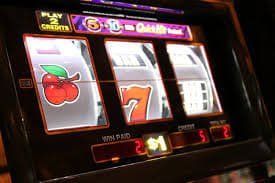
The ck444gg app is more than a mobile website — it is a fully native application built to make the most of platform-specific features on both Android and iOS. The Android version follows Material Design guidelines, while the iOS version adheres to Apple's Human Interface Guidelines.
Live Experience is a standout feature of the ck444gg app. You can follow live scores, live game feeds, and real-time leaderboards. See what others are winning and which games are generating the most excitement — all delivered through direct notifications. It adds a social dimension to your gaming session.
Multi-device synchronization is a standout feature. You can start playing on your desktop in the morning and pick up right where you left off on your smartphone later in the day — everything stays perfectly in sync. Your balance, bonuses, and history are all consistent across every device.
Biometric Security is available in the app. You can log in instantly using your fingerprint or Face ID — no need to type a password. It's not just more convenient, it's more secure too.
There are plenty of customization options available. Dark mode, theme selection, font size adjustment, and language settings — everything can be configured to your preference. You can also manage multiple accounts and switch between them quickly.
Features that will transform your experience
Native code optimization means the app loads and runs at lightning speed. No freezing or lagging.
Protected by 256-bit encryption and multi-factor authentication. Your funds and personal data are completely secure.
The full UI, games, and support are available in Bengali. No language barriers.
Smart notifications for updates that matter. No spam — only relevant alerts.
The app is fully optimized for battery saver mode, keeping power consumption low even during long gaming sessions.
Many features work offline even without a network connection. Everything syncs automatically once you're reconnected.
Seamless data transfer between web and app. Pick up your game from anywhere.
Regular new features and improvements. Always up to date with the latest technology.
Answers to common issues
Enjoy gaming anytime, anywhere. Fast, secure, and fully localized interface.